
Pak Games Login Password: Forgot, Reset or Change It Safely
Your Pak Games login password is the one secret that, together with your registered mobile number, opens your account, wallet balance and withdrawal history. If you have forgotten it, typed it wrong too many times, or simply want a safer one, this guide shows you exactly what to do: how to reset it with an OTP, how to change it while you are still logged in, how to pick a password you will remember, and how to avoid the fake “recovery agents” that target Pakistani players.
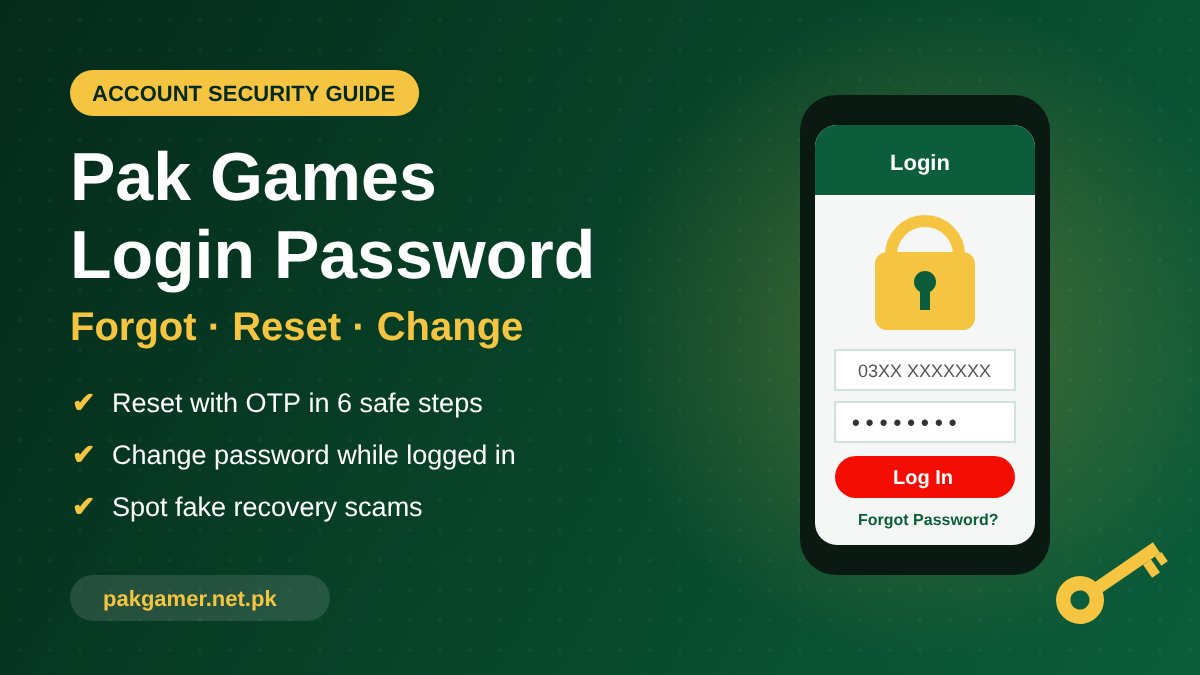
Quick answer: Forgot your Pak Games password? Open the app you installed yourself, tap Forgot Password under the login box, enter your registered 03XX number, type the SMS OTP and set a new password. Already logged in and just want a new one? Go to your profile or account settings, open the security / password option, enter the old password once and the new one twice. Never give your password or OTP to anyone, including people who say they are “support”.
Menu names can change between app updates, so treat the button names below as a guide and follow the labels you see on your own screen. Everything here works without installing any extra tool, and none of it requires paying anyone.
What Your Pak Games Login Password Actually Protects
Many players mix up the different codes and PINs they use around the app. Knowing which one is which saves a lot of confusion when something stops working.
| Secret | What it is used for | Who should know it |
|---|---|---|
| Login password | Signing in to your Pak Games account on the app or browser | Only you |
| SMS OTP | One-time code for registration, password reset or extra verification | Only you, and only for a few minutes |
| Withdrawal / fund password (if your account has one) | Confirming withdrawals or changes to your payout account | Only you; keep it different from the login password |
| JazzCash or EasyPaisa MPIN | Approving payments inside your mobile wallet app | Only you; never typed into any game app or chat |
The key idea: resetting your login password does not automatically change a separate withdrawal password, and it never changes your wallet MPIN. If you suspect someone else knows any of them, change each one separately.
Forgot Your Pak Games Password? Reset It in 6 Steps
If you cannot remember your Pak Games login password at all, do not keep guessing. Several wrong attempts in a row can temporarily lock the login. Use the reset option instead.
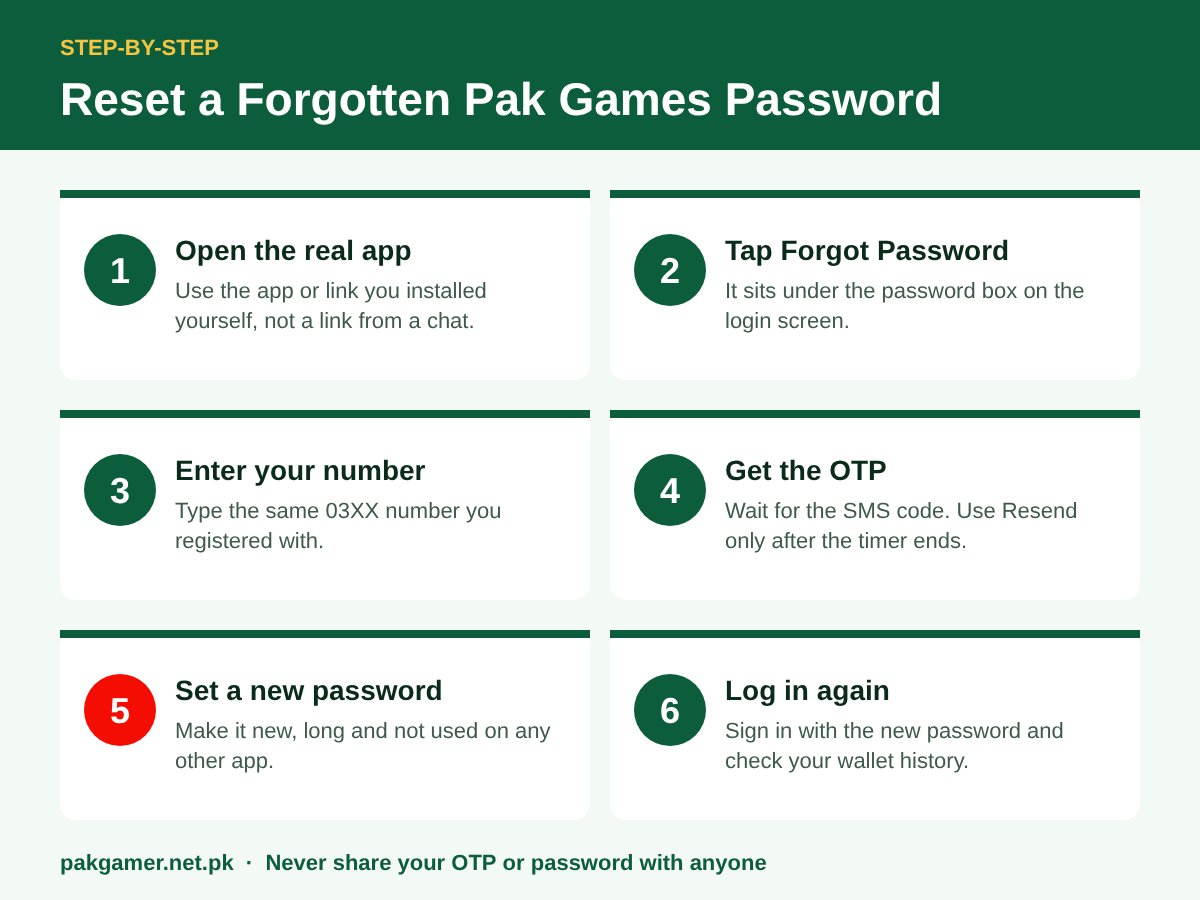
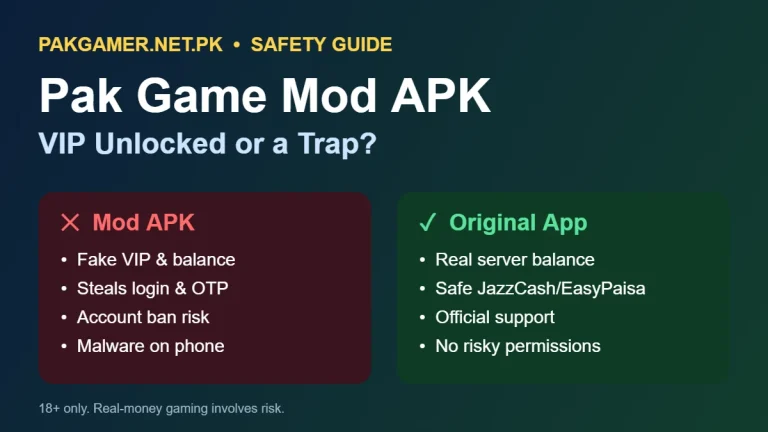
- Open the real app or site. Use the APK you installed yourself or the link you have always used. Do not use a “reset link” someone sent you on WhatsApp, Telegram or Facebook. Our Pak Game download guide explains how to check that your app is genuine.
- Tap “Forgot Password”. It is normally a small link just below the password field on the login screen.
- Enter your registered number. Type the exact mobile number you used at sign-up, in the format the screen asks for (some screens want 03XX, others want it without the leading zero after +92).
- Request and enter the OTP. Wait for the SMS. If it does not arrive, wait until the on-screen timer finishes before tapping Resend.
- Create a new password. Choose a new Pak Games login password you have never used on Pak Games or any other app, then type it again in the confirm box.
- Log in with the new password. Once inside, check your balance and transaction history to make sure everything looks normal.
Quick checklist before you request the OTP
- The registered SIM is in your phone and has signal (not in airplane mode).
- The SIM can receive SMS; try sending yourself a normal text if unsure.
- Your phone storage is not full, because a full inbox can block new messages.
- You have not blocked short-code or promotional SMS on that number.
- You are using the same number you registered with, not a second SIM.
How to Change Your Pak Game Password While Logged In
Changing your Pak Games login password is different from resetting it. You do this when you still know the current password but want a stronger one, for example after logging in on a friend’s phone or after a suspicious message.
- Log in and open your profile, account or “Mine” section (usually at the bottom right).
- Look for Settings, Security or Change Password.
- Enter your current password once.
- Enter the new password, then confirm it.
- Save, log out, and log back in to confirm the new password works.
If you cannot find a change-password option in your version of the app, use the Forgot Password flow from the login screen instead; it gives the same result. If the option is still missing, your app may be outdated, so update it from the source you trust.
How to Create a Strong Pak Games Login Password
A strong password is not a random mess you will forget tomorrow. The simplest method is a short phrase with a twist, something only you would think of.
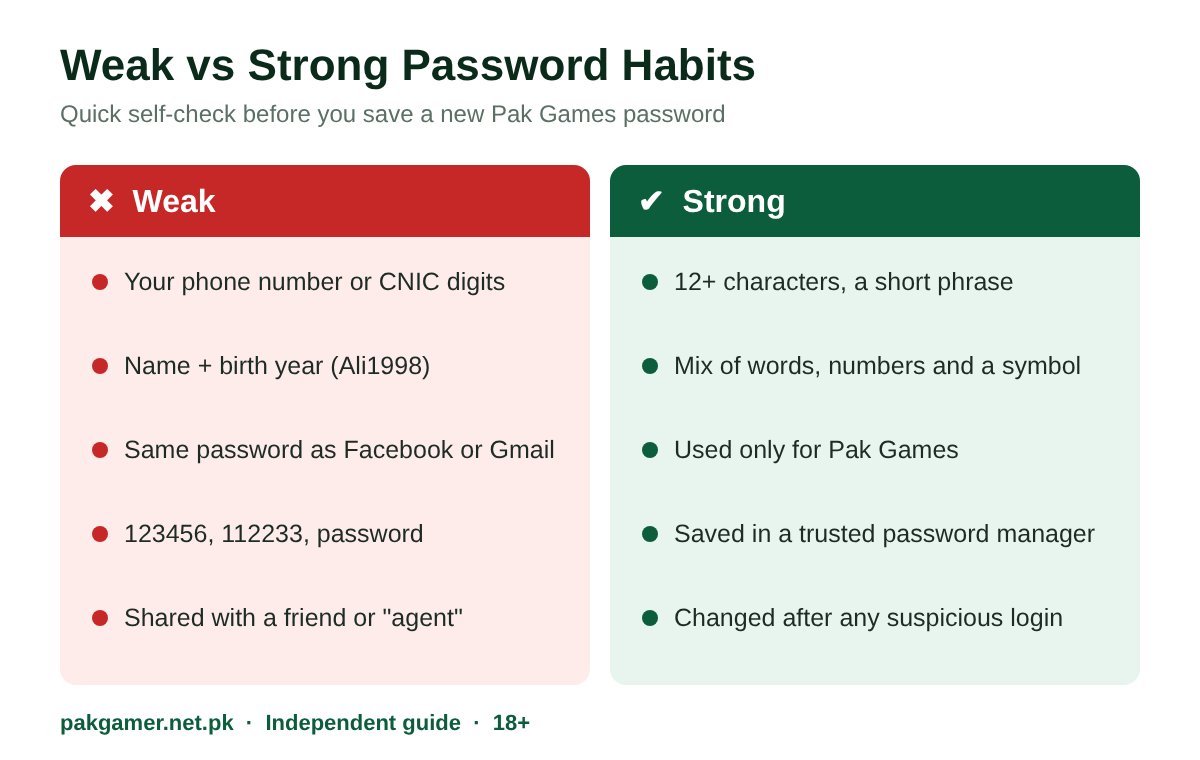
- Length beats complexity: aim for 12 or more characters.
- Use a phrase: three unrelated words plus a number and a symbol is easy to remember and hard to guess.
- Keep it unique: never reuse your Gmail, Facebook or JazzCash password.
- Avoid personal data: no phone number, CNIC digits, name or birth year.
- Check the app’s rules: if the screen asks for capital letters, small letters and digits, include all of them.
| Pattern to avoid | Better pattern (create your own) | Why it is better |
|---|---|---|
| Name + year, e.g. Ali1998 | Three random words + digits + symbol | Not linked to anything people can find about you |
| Phone number digits | A phrase from a favourite place or food, with a twist | Your number is already printed on your account |
| 123456 or 112233 | 12+ characters mixing words and numbers | Simple number runs are the first thing attackers try |
| Same password as other apps | A password used only for Pak Games | A leak on one app cannot unlock this account |
Do not copy any example word for word from a website, including this one. Build your own version.
Password Reset Problems and How to Fix Them
Most Pak Games login password reset problems come from the SIM, the network or the number format, not from the account itself. Match your problem in the table below.
| Problem | Likely cause | What to do |
|---|---|---|
| OTP never arrives | Weak signal, SMS blocked, full inbox, wrong number | Restart the phone, check signal, clear old messages, wait for the timer, then resend once |
| “Incorrect password” right after reset | Auto-fill is still entering the old password | Clear the saved password in your browser or keyboard, then type the new one manually |
| “Account not found” on the reset screen | Different number format or a different SIM | Try the number with and without the leading 0; check which SIM you registered |
| “Too many attempts” | Several wrong passwords or OTP requests in a short time | Stop, wait (often 15–60 minutes), then try once carefully |
| Forgot Password link is missing | Old app version or a clone site | Update the app from a trusted source and check you are on the real login page |
| App logs you out again and again | Old session saved on another device, or cache issue | Clear the app cache, log in again, and change the password if you see logins you did not make |
For other sign-in errors such as blank screens or a login button that does nothing, see our full guide on Pak Game login not working.
Lost Your SIM or Changed Your Number?
The OTP for a Pak Games login password reset goes to your registered number, so if you no longer have that SIM, the normal reset will not work. Here is the safe order:
- Get the SIM back first. Visit your network’s franchise (Jazz, Zong, Telenor, Ufone) with your CNIC and request a duplicate SIM on the same number. This is the fastest route back into your account.
- If the number is gone for good, contact Pak Games support from inside the app or the official site only. Explain that you lost access to the registered number and ask what verification they accept.
- Prepare proof you own the account: your user ID, the registered number, approximate registration date, and recent deposit or withdrawal details. Never send your password, OTP or wallet MPIN.
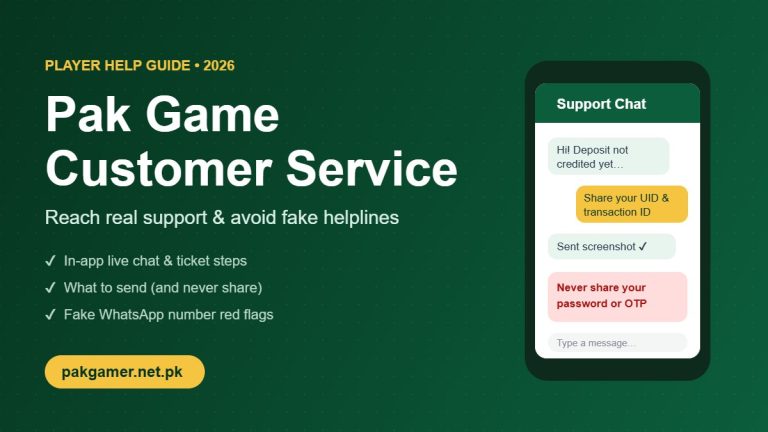
Our Pak Game customer service guide lists the safe support routes and the details to include so your case is solved faster.
Someone Changed Your Password? Act Fast
If your Pak Games login password suddenly stops working and you did not change it, treat it as a possible account takeover.
- Reset the password immediately with Forgot Password using your own SIM.
- Once inside, check the transaction history and the saved withdrawal account for any change.
- Change any separate withdrawal password as well.
- Change the password on any other app where you used the same one.
- Report the problem to support with your user ID and the time you noticed it.
Fake “Password Recovery” Scams to Avoid
Scammers know that players panic when they are locked out. Watch for these red flags:
- Someone on WhatsApp or Telegram offers to “unlock” or “recover” your account for a fee.
- A “support agent” asks for your OTP. Real support never needs your OTP or password.
- A link opens a login page with a slightly different domain or spelling.
- You are asked to install a “recovery tool” or a different APK.
- You are pressured to act within minutes or “lose your balance”.
If you have lost money or your data to such a scam, you can report it to Pakistan’s National Cyber Crime Investigation Agency (NCCIA).
Should You Save Your Password on Your Phone?
Saving your Pak Games login password is convenient, but it also means anyone who opens your phone can open your account. A sensible middle path:
- Use a screen lock (PIN, pattern or fingerprint) on the phone.
- Save the password only in a trusted password manager or your phone’s built-in one, never in a notes app or a screenshot in your gallery.
- Do not save it on a shared or family phone, and log out after using someone else’s device.
Copy-Ready Message for Support
If the reset still fails, send support a clear message. Copy this and fill in your details:
Hello, I cannot reset my Pak Games login password. My user ID is [your ID] and my registered number is [03XX-XXXXXXX]. The problem is: [OTP not received / account not found / reset done but login fails]. I tried at [date and time]. Please guide me. I will not share my password or OTP.
Need to start fresh instead? You can learn the sign-up steps on our Pak Game register page and the normal sign-in steps on the Pak Game login page. Keep in mind that most platforms allow only one account per number.
Play responsibly: Pak Games is a real-money gaming app. It is for adults 18+ only, and every deposit carries financial risk. Follow the laws that apply to you in Pakistan, set a budget, and never deposit money you cannot afford to lose. PakGamer is an independent guide and is not affiliated with the app’s operator.
Frequently Asked Questions
How do I reset my Pak Games login password?
Tap Forgot Password on the login screen, enter your registered mobile number, type the SMS OTP and set a new password. Then log in with the new password.
Can I change my Pak Game password without an OTP?
If you are already logged in, the change-password option in your account settings usually asks only for your old password. If you are logged out, the reset needs an OTP sent to your registered number.
Why does Pak Games say my password is incorrect?
Common reasons are caps lock, an extra space, auto-fill entering an old password, or a different registered number. Type it manually and check the number first.
What if I forgot both my password and lost my SIM?
Get a duplicate SIM on the same number from your network franchise first. If that is not possible, contact support through the app or official site with your user ID and account details.
Is my withdrawal password the same as my login password?
Not necessarily. If your account has a separate withdrawal or fund password, it stays the same after a login reset. Keep the two different and change each separately.
Will resetting my password delete my balance?
No. A password reset only changes how you sign in. Your balance and history stay linked to your account.
Can support tell me my current password?
No. Genuine support cannot see or send you your Pak Games login password. Anyone who offers to “show” or “recover” it for you is likely a scammer.
Final Words
Your Pak Games login password is your first line of defence, so treat it like the key to your wallet. Reset it only through the real app, keep it unique and long, never share it or your OTP, and fix SIM problems at your network franchise before contacting support. For more help, visit the Pak Game app guide home page.
Disclaimer: PakGamer (pakgamer.net.pk) is an independent information site. We are not the operator of Pak Games and do not handle accounts, passwords or payments. App menus and rules can change, so always confirm the latest steps inside the app.

2 Comments