
Pak Game Login Not Working? Check Password, OTP and Account Status
Pak Game login not working is a common issue users may face when trying to access their accounts. Login problems can happen because of incorrect passwords, OTP verification issues, account settings, application problems, or internet connection errors.
Before creating a new account or trying multiple login attempts, users should check their password, OTP details, account status, and application settings.This guide explains why Pak Game login may not work, what users should check, common login problems, and possible solutions to regain account access.

Why Is My Pak Game Login Not Working?
A Pak Game App login issue can happen for different reasons. Some problems are related to account details, while others may be caused by technical issues.
Common reasons include:
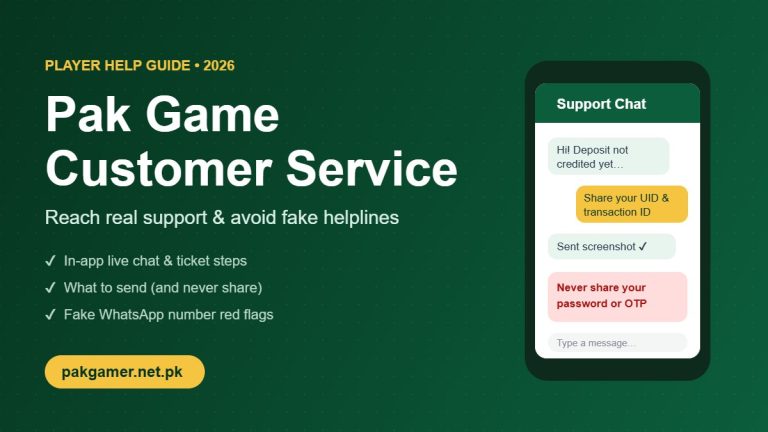
If you still cannot get in after these checks, our Pak Game customer service guide shows how to reach real in-app support and avoid fake helpline numbers.
- Incorrect password
- OTP verification problems
- Account access issues
- Internet connection problems
- Outdated application version
- Temporary technical errors
Identifying the reason helps users choose the right solution.
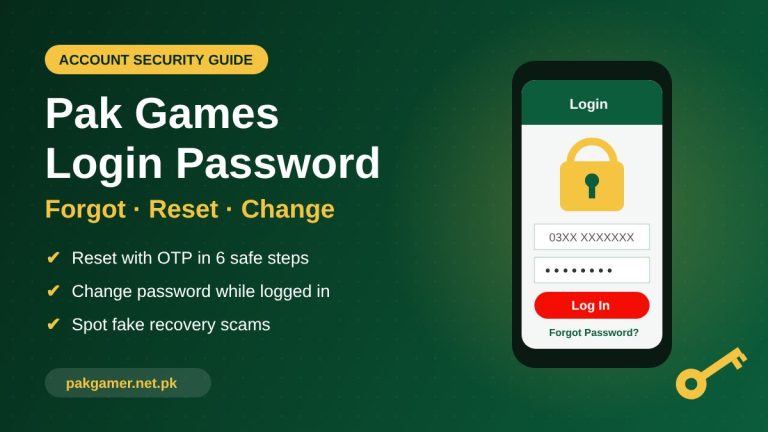
If the real issue is a forgotten password rather than a technical error, follow our step-by-step guide to reset or change your Pak Games login password safely with an OTP.
Check Your Pak Game Login Password
One of the most common reasons for login problems is entering incorrect account details.
Before trying again, check:
- Registered login details
- Password spelling
- Capital letters and numbers
- Extra spaces in entered information
A small mistake in password details can prevent successful login.
Forgot Pak Game Login Password? What To Do
If you cannot remember your password, use the available password recovery option.
General steps include:
Step 1: Open The Login Page
Open the Pak Game application and go to the login section.
Step 2: Select Password Recovery
Choose the option related to password recovery.
Step 3: Enter Required Information
Provide the required account details.
Step 4: Create A New Password
After completing the recovery process, create a secure password and try logging in again.
Pak Game OTP Not Working
OTP verification is another reason users may face login problems.
OTP issues can happen because of:
- Delayed messages
- Incorrect phone details
- Network problems
- Expired OTP codes
How To Fix Pak Game OTP Problems
Check Your Mobile Network
A weak network connection may delay OTP delivery.
Try:
- Checking mobile signals
- Restarting the network connection
- Waiting for the OTP message
Enter OTP Correctly
Make sure:
- The OTP is entered correctly
- The code has not expired
- You are using the latest OTP message
Request A New OTP
If the OTP does not arrive:
- Wait for some time
- Request a new code
- Enter the latest OTP received
Avoid requesting too many OTP codes quickly.
Check Your Pak Game Account Status
Sometimes login problems happen because of account-related issues.
Users should check:
| Account Check | Details |
| Account Information | Make sure details are correct |
| Account Access | Confirm account availability |
| Verification Status | Check if required steps are completed |
| Login Details | Verify username and password |
Pak Game Login Problems And Solutions
Incorrect Password Error
Possible Reasons:
- Wrong password entered
- Password changed recently
- Typing mistake
Solutions:
- Re-enter password carefully
- Use password recovery
- Create a new password if required
OTP Not Received
Possible Reasons:
- Network delay
- Mobile service issue
- Incorrect account information
Solutions:
- Check network connection
- Request OTP again
- Verify account details
Pak Game App Not Opening
Possible Reasons:
- Outdated application
- Device problems
- Temporary technical issue
Solutions:
- Update the application
- Restart your device
- Check internet connection
Login Page Not Loading
Possible Reasons:
- Internet problems
- Browser or app cache issues
- Temporary server problems
Solutions:
- Check your connection
- Clear cache
- Try again later
Pak Game Login on a New Device
Users may face login problems when accessing accounts from a different device.
Before logging in:
- Confirm account details
- Check OTP access
- Use a secure device
- Avoid unknown networks
Keeping account information updated helps make access easier.
How To Prevent Pak Game Login Problems
Users can reduce login issues by following simple steps.
Save Login Information Securely
Keep account details safe and avoid sharing passwords.
Use A Strong Password
Create a password that is difficult to guess.
Keep The App Updated
Updated applications may provide better performance and fewer technical problems.
Maintain Account Information
Keep required account details accurate.
Pak Game Login Troubleshooting Checklist
Before contacting support or creating another account, check:
✅ Password is correct
✅ OTP is entered properly
✅ Internet connection is stable
✅ Application is updated
✅ Account information is accurate
✅ Device settings are working properly
Frequently Asked Questions About Pak Game Login Problems
Final Thoughts
Pak Game login not working problems can happen because of password mistakes, OTP issues, account status problems, or technical errors.Before trying again, users should carefully check login details, verify OTP information, update the application, and confirm account status.


3 Comments